 ALKNETWORK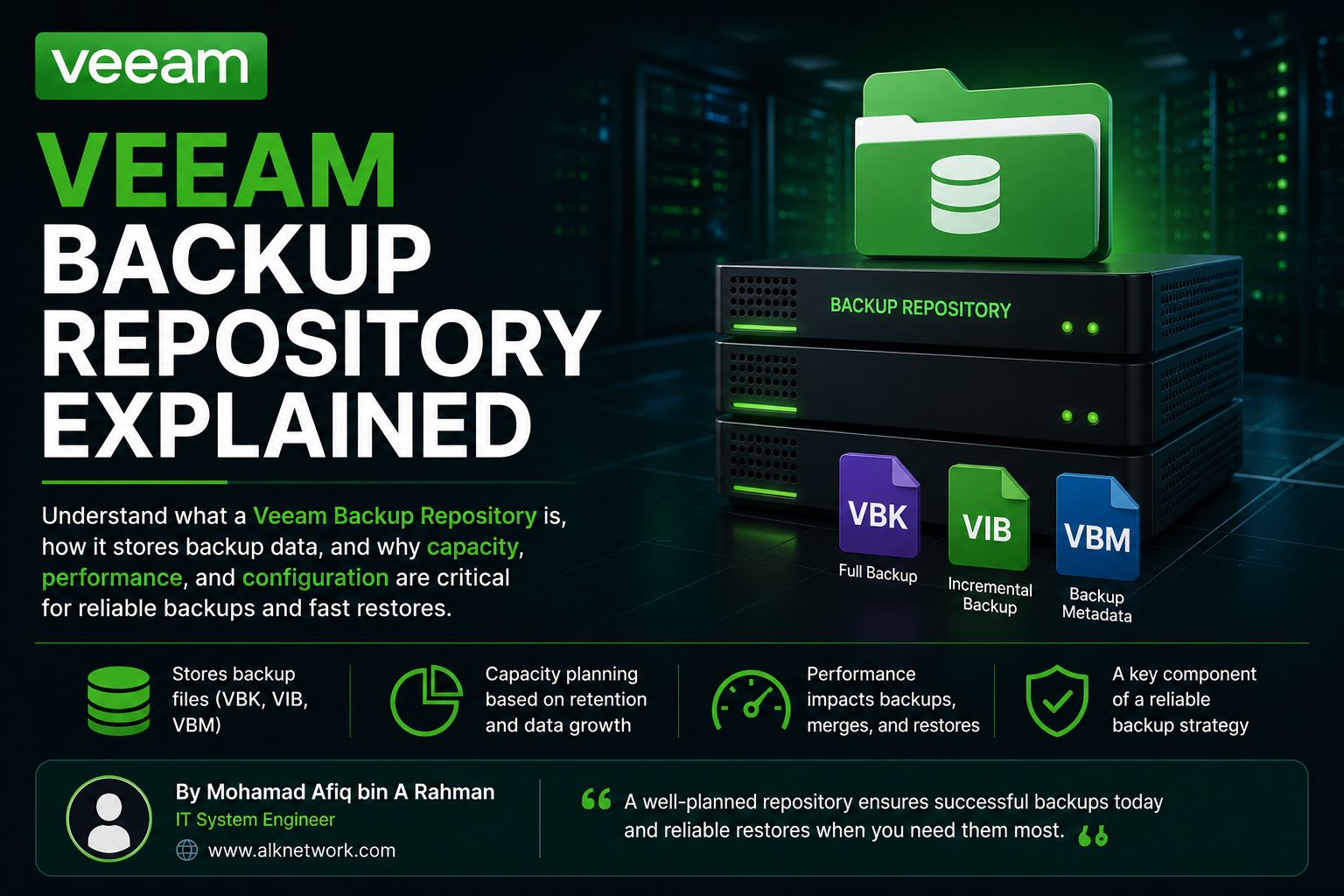
What is a Veeam Backup Repository?
A backup repository is essentially the destination where Veeam stores backup files.
When a backup job runs, Veeam reads data from the production environment and sends the backup data to the configured repository.
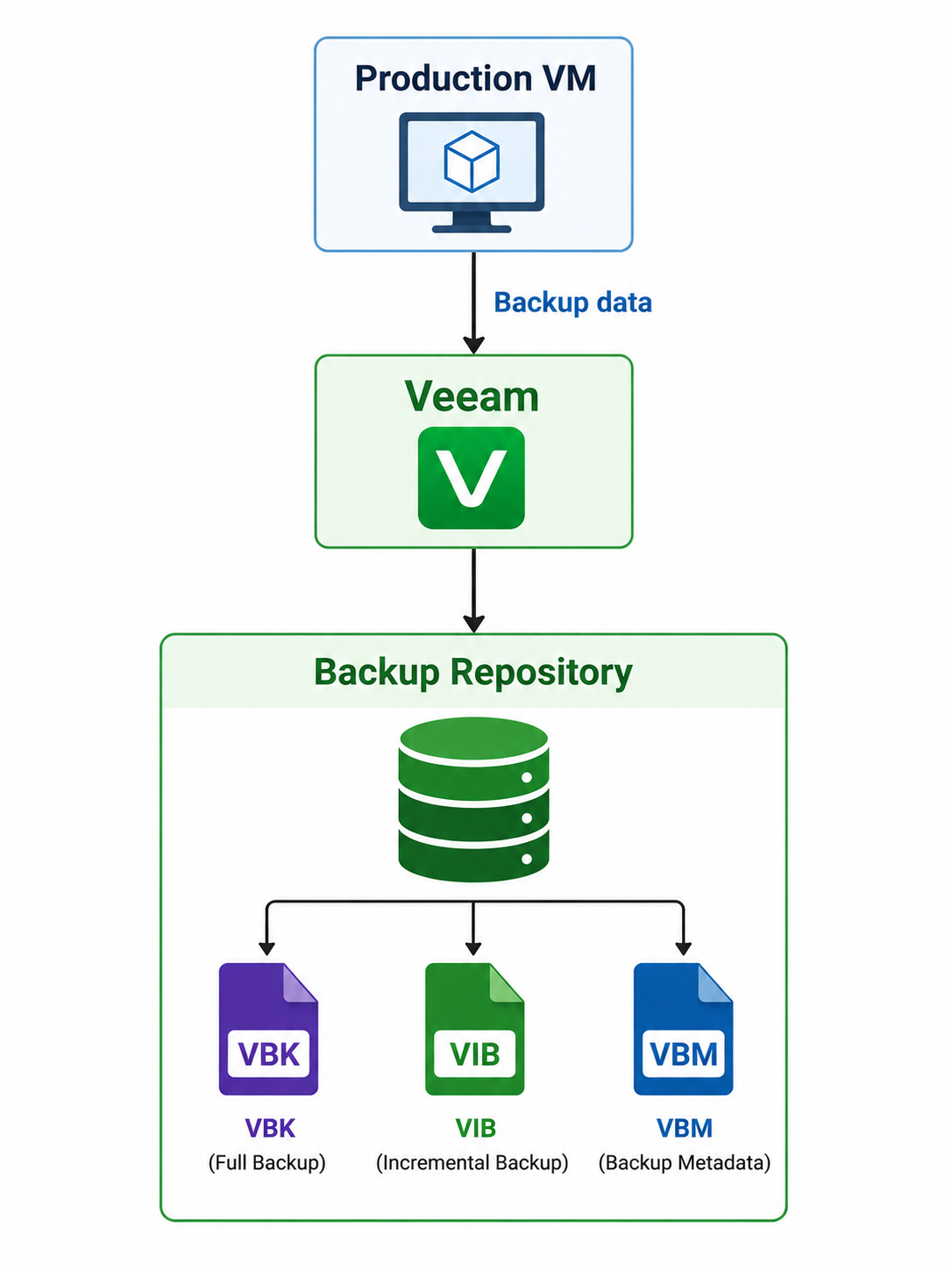
The repository can use different types of storage depending on the environment and backup design.
What is Stored in the Repository?
The repository can contain the backup files discussed in the previous articles:
| File | Purpose |
|---|---|
| VBK | Full backup |
| VIB | Incremental backup |
| VBM | Backup metadata |
For example:
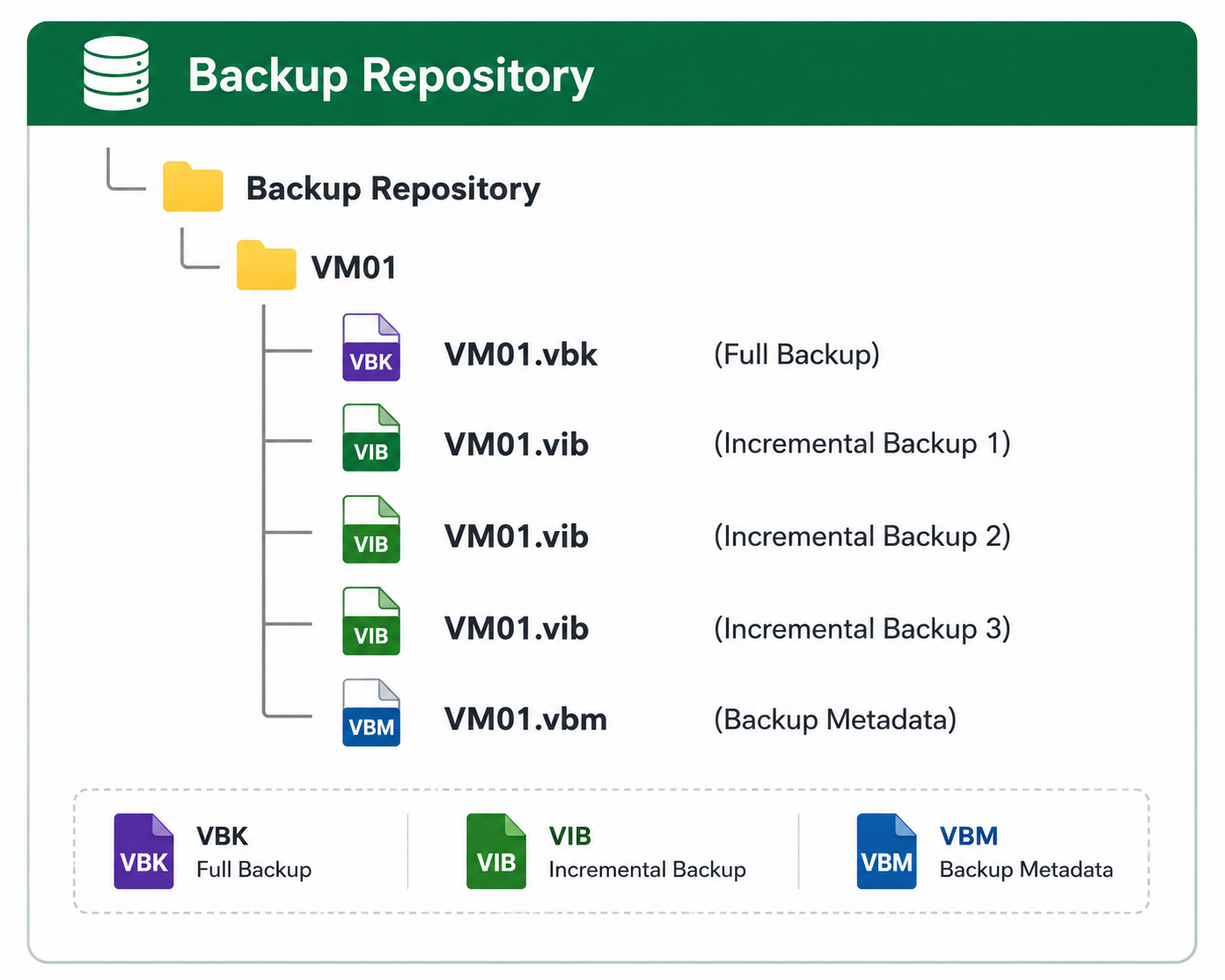
The actual files and structure can vary depending on the backup method and Veeam configuration.
Why Repository Capacity Matters
When planning a Veeam Backup Repository, it is important to estimate how much storage will actually be required. The calculation should consider the size of the protected VMs, daily change rate, backup frequency, retention policy, and backup method. Veeam also recommends looking at the block-level daily change rate because incremental backups contain changed blocks rather than the entire VM data.
A simple way to estimate the required capacity is:
Required Storage
≈ Full Backup
+ Incremental Backups
+ Additional Space
Example
Assume we have:
Number of VMs       : 10 VMs
Average VM size     : 500 GB
Total VM data       : 5 TB
Daily change rate   : 5%
Retention           : 7 restore points
First, calculate the estimated daily change:
5 TB × 5%
= 250 GB per day
So, approximately 250 GB of new backup data may be generated every day.
For 7 restore points:
250 GB × 7
= 1.75 TB
If we assume the resulting full backup stored in the repository is approximately 3 TB after the configured backup processing, a simple estimate would be:
Full Backup       = 3.00 TB
7 Incrementals    = 1.75 TB
--------------------------------
Estimated Storage = 4.75 TB
However, 4.75 TB should not be treated as the final repository size.
Additional free space is required for operations such as Active Full, Synthetic Full, merge operations, and normal data growth. Veeam specifically notes that merge operations can require additional free space, and capacity planning should account for variations in backup size.
A more practical design could therefore look like:
Backup data             = 4.75 TB
Additional working space = 3.00 TB
Safety margin            = 1.50 TB
-----------------------------------
Recommended capacity     ≈ 9.25 TB
The exact amount will depend on the backup method, retention configuration, workload and actual backup file growth. There is no magical Veeam formula where you type "10 VMs" and the universe politely returns "8.73 TB". Backup data has the unfortunate habit of changing.
What Can Increase Repository Usage?
Several factors can increase the amount of storage required:
| Factor | Impact |
|---|---|
| More VMs | More backup data |
| Larger VMs | Larger full backups |
| High daily change rate | Larger VIB files |
| More frequent backups | More restore points |
| Longer retention | More backup data kept |
| Active Full | Additional full backup space |
| Synthetic Full | Additional repository processing and working space |
| GFS retention | Additional weekly/monthly/yearly backups |
For example, a VM with a 10% daily change rate will consume considerably more incremental storage than one with a 2% daily change rate, even if both VMs have the same capacity.
VM Size = 1 TB

2% Change Rate
    ↓
20 GB/day

10% Change Rate
    ↓
100 GB/day
Over 30 days, the difference becomes significant:
20 GB × 30 = 600 GB

100 GB × 30 = 3 TB
This is why daily change rate is one of the most important numbers when sizing a backup repository. Veeam recommends measuring actual change rates rather than simply estimating from the VM's provisioned capacity.
Don't Fill the Repository to 100%
It is also important to maintain sufficient free space on the repository. Running a repository close to full capacity can cause backup or merge operations to fail.
Veeam's documentation notes that merge operations require additional space, and recommends ensuring sufficient free space for these operations.
A good practical approach is:
Repository Capacity
        │
        ├── Backup Data
        │
        ├── Retention Growth
        │
        ├── Full / Synthetic Operations
        │
        └── Free Space / Safety Margin
Simple Rule
When sizing a repository, start with these five numbers:
1. Total protected data
2. Daily change rate
3. Backup frequency
4. Retention period
5. Backup method
Then add working space and a safety margin instead of sizing the repository exactly to the calculated backup data.
Veeam ONE can also be used for capacity planning by analyzing historical repository usage and forecasting how many days remain before the repository runs out of space.
"The goal is not just to have enough space for today's backups. The repository should have enough capacity to handle retention, backup operations, growth, and unexpected increases in data change."
Repository Performance
Capacity isn't the only important factor.
The repository also needs sufficient read and write performance to handle backup and restore operations.
This becomes particularly important when using operations such as:
- Synthetic Full
- Backup Merge
- Health Check
- Restore
- Backup Copy
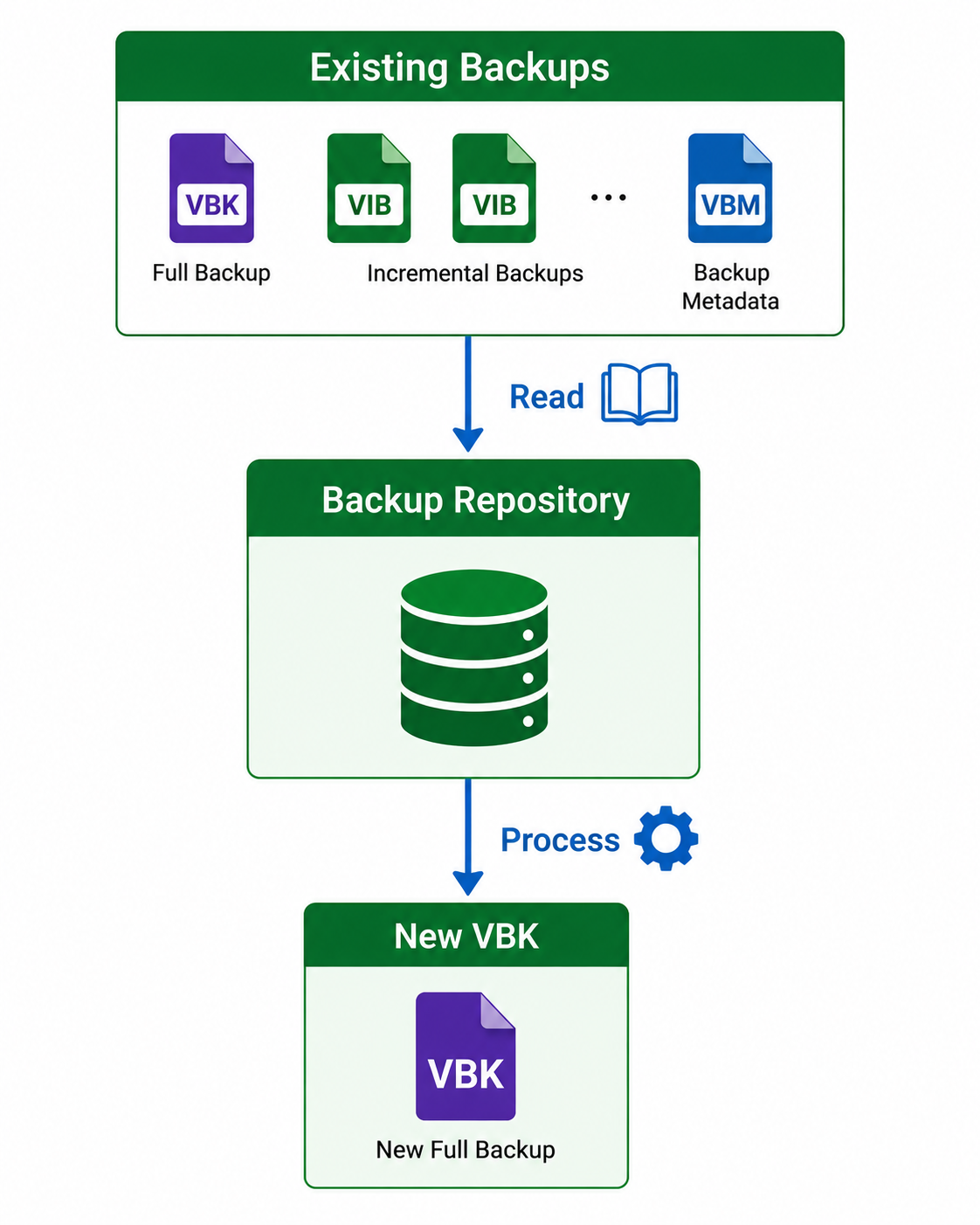
For example, a Synthetic Full uses existing backup data in the repository to create a new full backup. This means the repository needs to handle additional read and write operations during the process.
Repository vs Backup Files
It is useful to understand the difference:
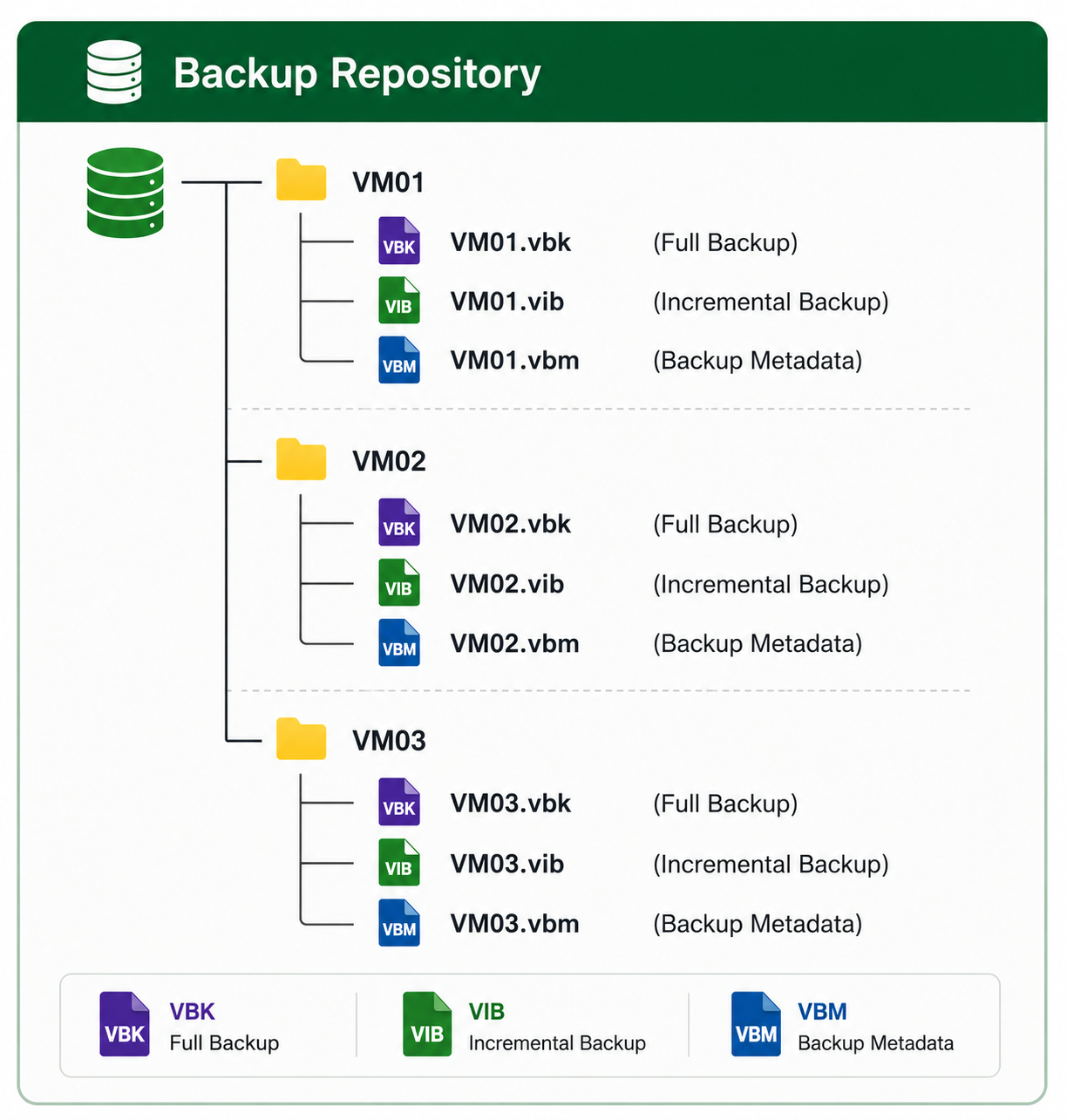
Backup Repository
The storage location managed by Veeam.
Backup Files
The actual files stored inside the repository, such as VBK and VIB.
Think of it like this:
Key Points
- A Veeam Backup Repository is the destination for backup data.
- It stores backup files such as VBK, VIB, and VBM.
- Repository capacity must account for retention and backup growth.
- Repository performance affects backup and restore operations.
- Synthetic Full and merge operations can generate additional repository I/O.
- Monitoring free space and repository performance is important for reliable backups.
Conclusion
A backup repository is more than just a disk with enough free space. It is an important part of the overall backup infrastructure, and its capacity, performance, and configuration can directly affect the reliability of backup and recovery operations.
A properly planned repository helps ensure that backup jobs can complete successfully and that restore operations can be performed when they are actually needed