

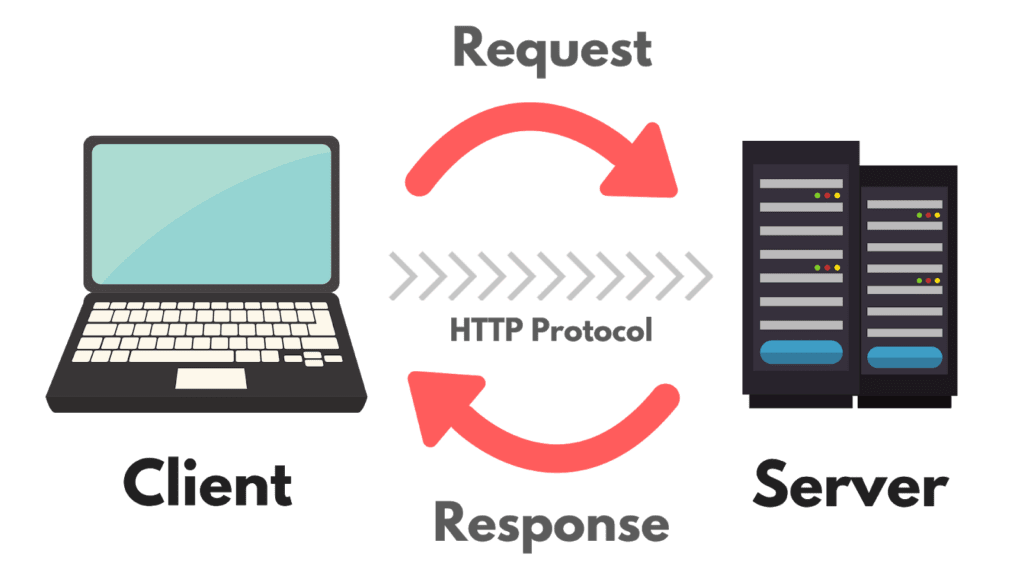
HTTP response status codes indicate whether a specific web traffic request has been successfully completed. Responses are grouped in five classes below. Status code listed below may have more as listed below is basically common status code during everyday web use.

Information
100 – Continue
This response indicates that the client should continue the request or ignore the response if the request is already finished.
101 -Switching Protocols
This were sent in response to upgrade request header from the client and indicates the protocol the server is switching from older HTTP 1.0 to HTTP 2.0
102 – Processing
This code indicates that the server has received and is processing the request, but no response is available yet from web server.
103 – Early Hints
This status code is primarily intended to be used with the link header, letting the user agent (web browser at user level) to start preloading web resources while the server prepares a response (or a preconnect) to an web server origin from which the page will need resources.
Success
200 – Ok
This indicate request succeeded. The result meaning of “success” depends on the HTTP method (method of requesting web page from server):
GET: The resource has been fetched and transmitted in the message body.HEAD: The representation headers are included in the response without any message body.PUTorPOST: The resource describing the result of the action is transmitted in the message body.TRACE: The message body contains the request message as received by the server.
201 – Created
This request indicate succeeded, and a new resource was created as a result. This is typically the response sent after POST requests, or some PUT requests. In simplify term, this normally happen when data is transmitted from client level to server level (for example like uploading file or adjusting some menu)
202 – Accepted
This request indicate that data has been received but not yet acted upon. It is noncommittal, since there is no way in HTTP to later send an asynchronous response indicating the outcome of the request. It is intended for cases where another process or server handles the request, or for batch processing. Normally happen when multiple data wereb uploaded to server level and data que were done (normally happen on active style webpage).
204 – No Content
This indicate there is no content to send for this request, but the headers may be useful. The user agent may update its cached headers for this resource with the new ones.
206 – Partial Content
This response code is used when the part of web resource should return. Range header is sent from the client to request only part of a resource in order to simplify web traffic and add more responsiveness to webpage during web loading process.
Redirect
300 – Multiple Choices
This request indicate more than one possible response. The user agent (agent on web browser) should choose one of them. (There is no standardized way of choosing one of the responses, but HTML links to the possibilities are recommended so the user can pick.)
301 – Moved Permanently
This is the respond when URL of the requested resource has been changed permanently. The new URL is given in the response.
304 – Not Modified
This code is used for caching purposes. It tells the client that the response has not been modified, so the client can continue to use the same cached version of the response. Normally happen during web streaming (video or sound) which tag along respond back code during media request.
307 – Temporary Redirect
The server sends this response to direct the client to get the requested resource at another URL with the same method that was used in the prior request. This has the same semantics as the 302 Found HTTP response code, with the exception that the user agent must not change the HTTP method used: if a POST was used in the first request, a POST must be used in the second request.
308 – Permanent Redirect
This means that the resource is now permanently located at another URL with specific data Location HTTP Response header. This has the same semantics as the 301 Moved Permanently HTTP response code, with the exception that the user agent must not change the HTTP method used: if a POST was used in the first request, a POST must be used in the second request.
Client Error
400 – Bad Request
The server cannot or will not process the request due to something that is perceived to be a client error
401 – Unauthorized
Although the HTTP standard specifies “unauthorized”, semantically this response means “unauthenticated”. That is, the client must authenticate itself to get the requested response.
403 – Forbidden
The client does not have access rights to the content; that is, it is unauthorized, so the server is refusing to give the requested resource. Unlike 401 – Unauthorized, the client’s identity is known to the server.
404 – Not Found
The server cannot find the requested resource. Servers may also send this response instead of 403 – Forbidden to hide the existence of a resource from an unauthorized client (normally from Web Application Firewall during DDoS attack)
409 – Conflict
This response is sent when a request conflicts with the current state of the server. Normally happen either from bad load balancer configuration or bad database link.
Server Error
500 – Internal Server Error
The server has encountered a situation it does not know how to handle. Normally either web server damage or edge link unable to connect to web server.
501 – Not implemented
The request method is not supported by the server and cannot be handled. The only methods that servers are required to support (and therefore that must not return this code) are GET and HEAD.
502 – Bad Gateway
This error response means that the server, while working as a gateway to get a response needed to handle the request, got an invalid response.
503 – Service Unavailable
The server is not ready to handle the request. Common causes are a server that is down for maintenance or that is overloaded. Note that together with this response, a user-friendly page explaining the problem should be sent (either from content delivery network or from web server itself). This response should be used for temporary conditions and the Retry-After HTTP header should be included for service recovery (example like web page continue as last status after service is resume). The webmaster must also take care about the caching-related headers that are sent along with this response, as these temporary condition responses should usually not be cached.
504 – Gateway Timeout
This error response is given when the server is acting as a gateway and cannot get a response in time.

