 ALKNETWORK
If your application suddenly stopped working, keeps asking for credentials, or cannot connect to Exchange Online, EWS may have been disabled in your tenant.
To re-enable EWS for now, follow these steps:
Sign in to the Microsoft 365 admin center.
Go to Settings > Org settings > Security & privacy.
Select Baseline security mode.
Select Open Baseline security mode.
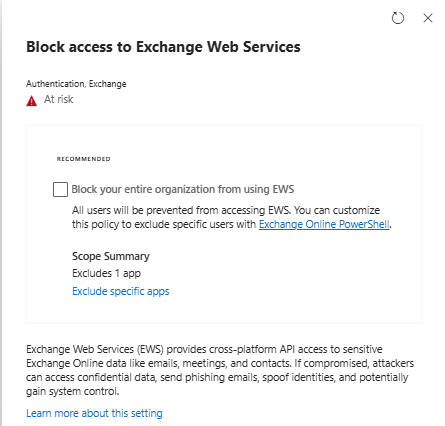
Select Block access to Exchange Web Services.
Uncheck Block your entire organization from using EWS.
Click Apply change.
After applying the change, allow some time for the setting to take effect and then test the affected application again.
Don't forget
This is only a temporary workaround. Microsoft is retiring EWS in Exchange Online, so you should check which applications are still depending on EWS and work with the vendor to migrate to a supported solution.
April 1, 2027 is the final shutdown date. After that, EWS will be permanently disabled in Exchange Online.